Claude Code on iPhone
The task runs on your Mac. Answer the agent, approve its actions and start new tasks from your phone.
Free · Mac and iPhone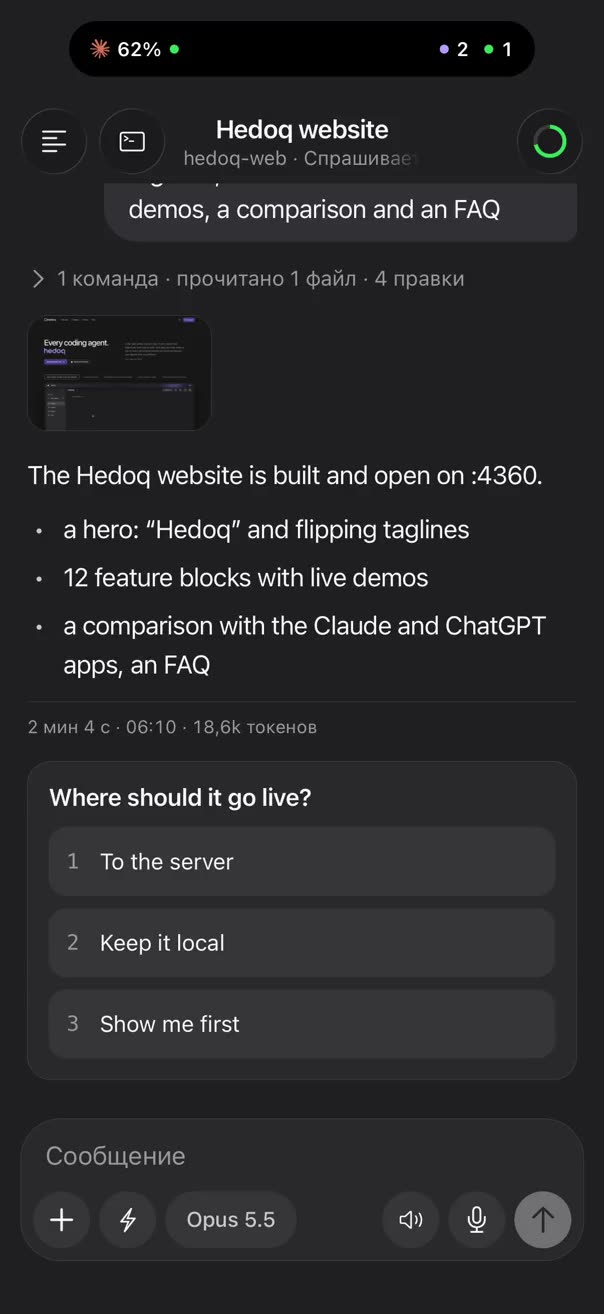
How it works
The phone does not talk to the AI services itself. The agent works on your Mac, and the Hedoq app on your iPhone shows the same feed and sends your answers back. The link goes through a relay server and is end-to-end encrypted.
What you can do from the phone
- Read the session feed: answers, steps, images and files.
- Answer questions and permission requests with one tap.
- Type or dictate a new task, attach photos and files.
- Switch the model, refresh the session, check your subscription limits.
- Start a new session on your Mac right from the phone.
If a question has no buttons, the iPhone has a terminal screen with keys 1, 2, 3, arrows, Enter and Esc.
How to pair your iPhone
- On your Mac, press the pair iPhone button in the window header.
- Open Hedoq on your iPhone and scan the QR code or type the six digits.
- Done: your Mac sessions appear on the phone.
What it needs
Your Mac stays on and Hedoq stays open. If you step away for long, turn on the Hedoq mode that keeps the Mac awake with the lid closed, and the agent keeps working.
Questions
Does the agent run on the phone itself?
No. Claude Code runs on your Mac, the phone shows its sessions and controls them. So the iPhone needs no keys and no subscription.
Can the relay server read my conversation?
No. Messages between your Mac and iPhone are end-to-end encrypted, the server passes them on without reading them.
What if my Mac goes to sleep?
While the Mac sleeps, the agent stops and messages from the phone do not go through. Hedoq has a mode that keeps the Mac awake with the lid closed.